
TCG listing software for eBay
Turn your Pokémon stack into eBay listings.
List sought-after pulls as singles, group cards into bulk lots, or let set builders choose with You-Picks. MyCardFlow turns your scans or phone photos into editable listings for Pokémon, Magic, Yu-Gi-Oh, Lorcana and One Piece.
Start with 10 free scans, no credit card. Then plans from $6.99/mo.
10 on signup +20 when you connect eBay +20 on your first listing
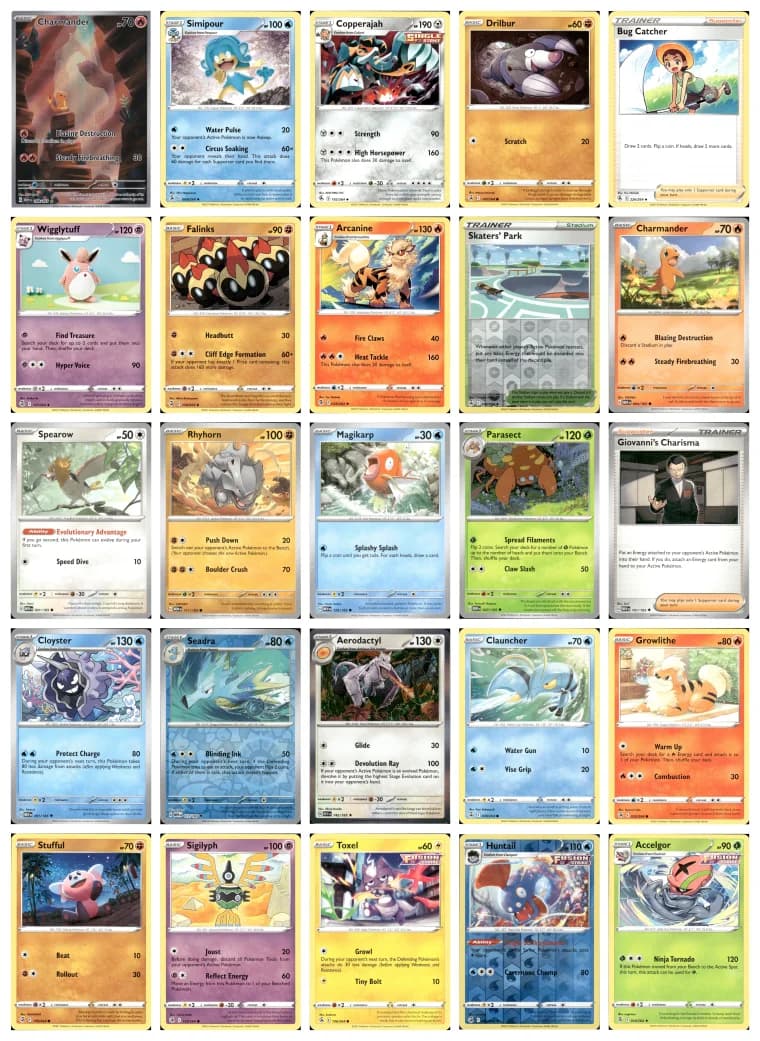
A rare pull and a stack of commons need different listings.
Start with the cards you want to sell. Choose a format based on whether the buyer wants one specific card, the whole group, or a few missing cards from a set.
For a sought-after illustration rare, holo or other card buyers search for by name and collector number.
For related commons, duplicates or a character collection you want to sell together at one price.
For set-builder inventory where buyers select individual cards, each with its own price and quantity.
Give your sought-after pulls their own listing.
When a buyer wants a particular Pokémon card, the set, collector number and finish matter. Scan the card to generate a title and TCG item specifics, then check the match, condition, photos and price before publishing an individual eBay listing.
Review the card name, set, collector number, rarity and finish together so a holo and a reverse holo are not presented as the same card.
Review comparable sales in the workflow and set your asking price. You can edit the generated details without using another scan.
Turn related cards into one buy-it-all listing.
Have duplicates from a Pokémon expansion or a group of cards featuring the same character? Sell them together. MyCardFlow assembles a grid image from your scans and drafts a title and card-by-card description so buyers can see what is included in the lot.
Build a lot around a set, character or other clear theme, then review the included cards and choose one price for the whole group.
Use the generated grid to show the contents of this lot. The buyer purchases the group pictured, rather than choosing cards from a dropdown.
Help set builders buy the cards they are missing.
Have a run of cards from the same expansion? Build one You-Pick listing with a choice for each card. Buyers select what they need, while each variation keeps its own photo, price and quantity. You sell cards individually without creating a separate listing for every common.
Check each card name and collector number before publishing so a set builder can find the gap in their binder.
Set different prices and quantities for different cards. Keep cards that need their own searchable title as singles.
Scan, check the details, publish to your eBay store.
Start with a small batch from your own collection. MyCardFlow drafts the listing; you decide what goes live.
Use clear phone photos or scanner images. Start with 10 free scans when you sign up.
Check the card match, title, TCG item specifics, condition and price. Correct anything that needs attention before publishing.
Connect your eBay account through its official sign-in and publish to your own store. Earn 20 more scans for connecting and another 20 when your first listing goes live.
Questions sellers actually ask.
- Do I need a scanner to list Pokémon cards?
- No. You can use clear phone photos or scanner images. Review the identified card and listing details before publishing, especially the set, collector number and finish.
- Does it support TCGs besides Pokémon?
- Yes. MyCardFlow supports Magic, Yu-Gi-Oh, Lorcana and One Piece as well as Pokémon, with TCG fields such as game, card name, set and card number. Generated matches and fields stay editable.
- Can I review the match before publishing?
- Yes. The generated title, card match, item specifics, price and photos are all editable. Nothing publishes to eBay until you click publish.
- Does this work for low-value cards?
- Yes, but low-value TCG cards usually make more sense as lots or You-Pick listings. A single-card listing is best for cards with enough demand to deserve their own searchable title.
- Whose eBay account does it publish to?
- Yours. You connect through eBay's official sign-in, listings appear in your own store, and MyCardFlow takes no commission.
- How do the free scans work?
- You receive 10 scans at signup, 20 more when you connect eBay, and 20 more when your first listing goes live: 50 in total. No credit card is required to start. Paid plans start at $6.99 per month, and editing a listing does not cost another scan.
- Official eBay API integration
- Sign in with eBay, we never see your password
- Nothing publishes until you click publish
- Listings live in your own eBay store
- No commission on anything you sell
Have a bigger stack waiting?
Try your own TCG cards with the free scans first. When you are ready for a larger batch, compare the monthly plans and included scan allowances.
Put your first TCG cards up for sale.
Start with 10 free scans, no credit card. Then plans from $6.99/mo.
10 on signup +20 when you connect eBay +20 on your first listing